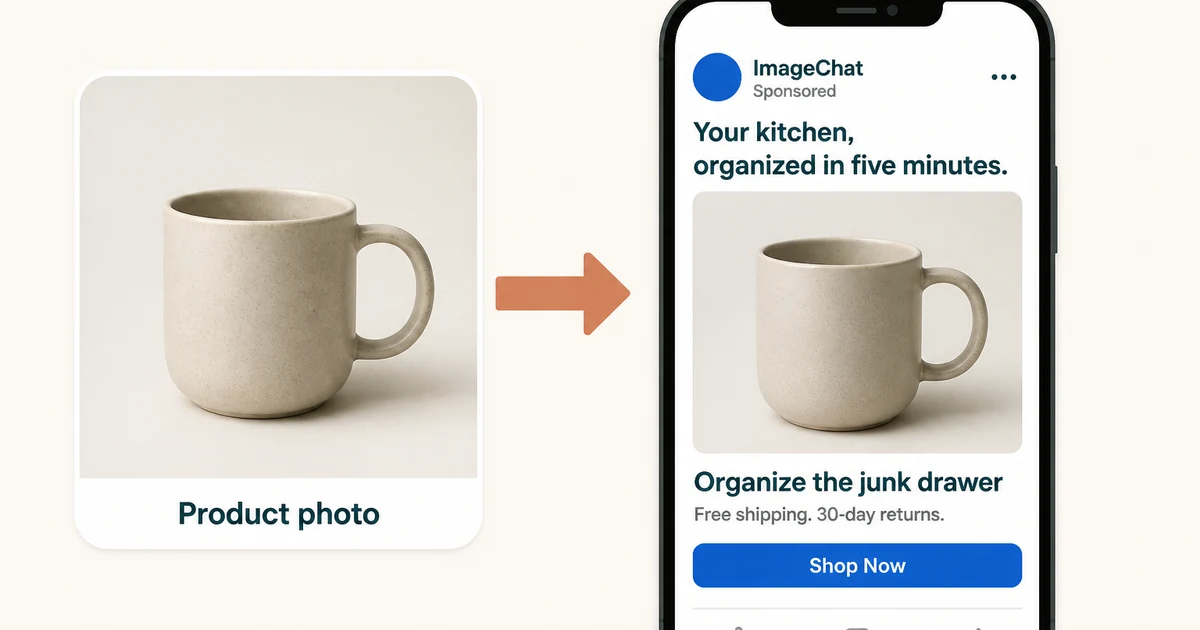
Tell it what you are selling, what the campaign is optimizing for, and who should see the ad. You get copy for Feed, Stories, Reels, and Marketplace that you can paste into Meta Ads Manager—without rewriting the same idea for every placement.
What you get
- Primary text, headline, description and CTA options
- Feed, Stories, Reels and Marketplace formats
- Copy tuned to your campaign objective
- Cold, warm and retargeting angles
- Brand voice and tone controls
- Multiple variations for A/B testing
What Is a Facebook Ad Copy Generator?
A Facebook ad copy generator writes the text of a Facebook ad—primary text, headline, description, and call-to-action label—from a few inputs about your product, offer, audience, and objective. Instead of starting with an empty field in Ads Manager, you describe what you are selling once and receive several variations to edit and test.
Facebook has its own format and logic: the first line of primary text earns the See more tap, the headline works under an image, and the campaign objective changes the words that perform. For campaigns across multiple networks, use the general Ad Copy Generator. For the product pages those ads send traffic to, pair it with the Product Description Generator.
The Four Pieces of Copy in a Facebook Ad
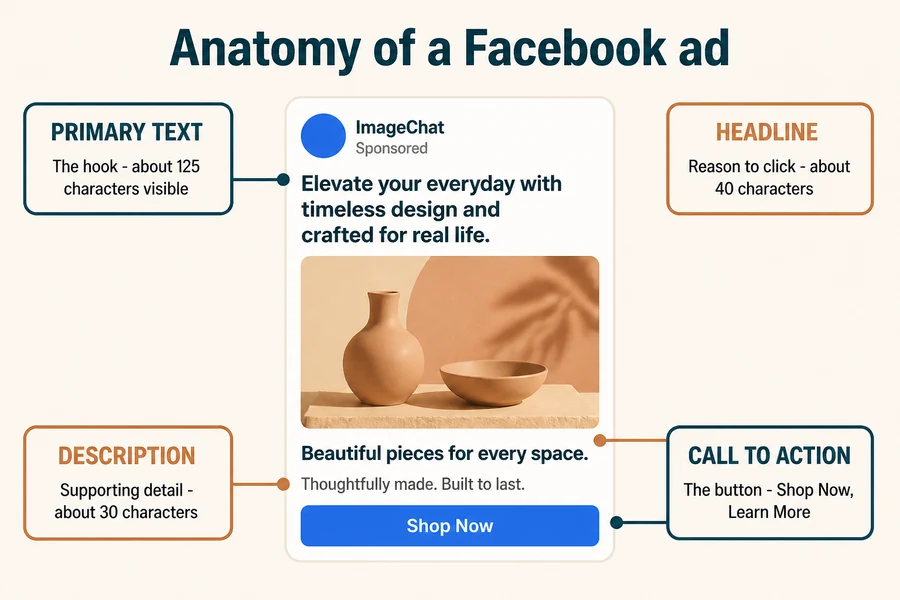
| Field | Where it appears | What it does | Typical limit |
|---|---|---|---|
| Primary text | Above the creative | The hook before See more | 125 recommended |
| Headline | Below the creative | The reason to click | About 40 characters |
| Description | Under the headline | Supporting proof or offer | About 30 characters |
| Call to action | The button | The single next step | Preset options |
Lead with the outcome. Put the hook in the first line, match the campaign objective, write to the audience temperature, make the offer concrete, and let the image and copy divide the work. Confirm current specs in the Meta Ads Guide before publishing.
Facebook Ad Copy Examples
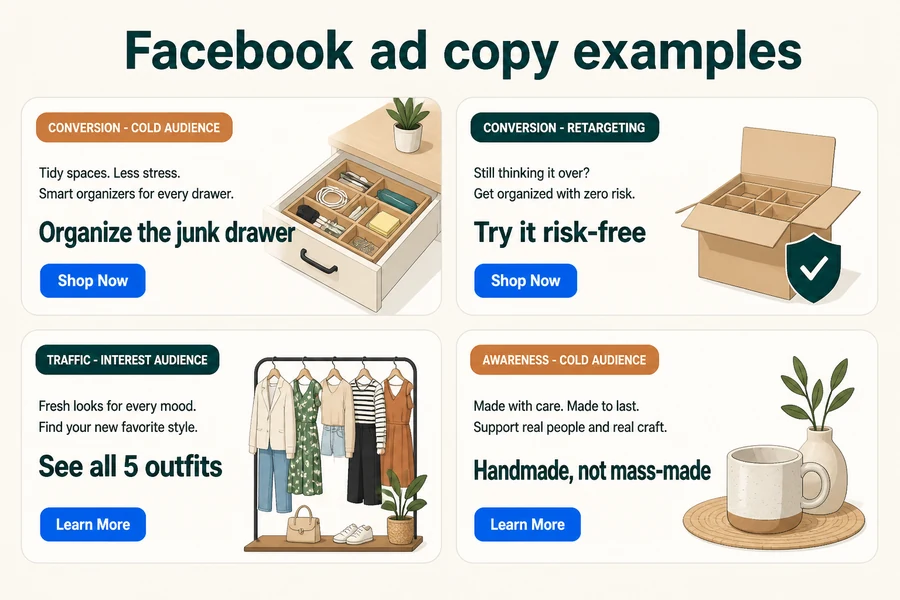
The same product needs different words depending on the objective and audience. Start with distinct angles rather than tiny rewrites.
- Conversion / cold audience: “Your kitchen has one drawer that always ends up a mess. This insert fixes it in five minutes.” Headline: “Organize the junk drawer.” CTA: Shop Now.
- Conversion / retargeting: “Still deciding? Free returns for 60 days, so you can try it at home.” Headline: “Try it risk-free.” CTA: Shop Now.
- Traffic / interest audience: “Five ways to style one linen shirt, from office to beach.” Headline: “See all 5 outfits.” CTA: Learn More.
- Awareness / cold audience: “Made by hand, in small batches, by people who care where things come from.” Headline: “Handmade, not mass-made.” CTA: Learn More.
How It Works
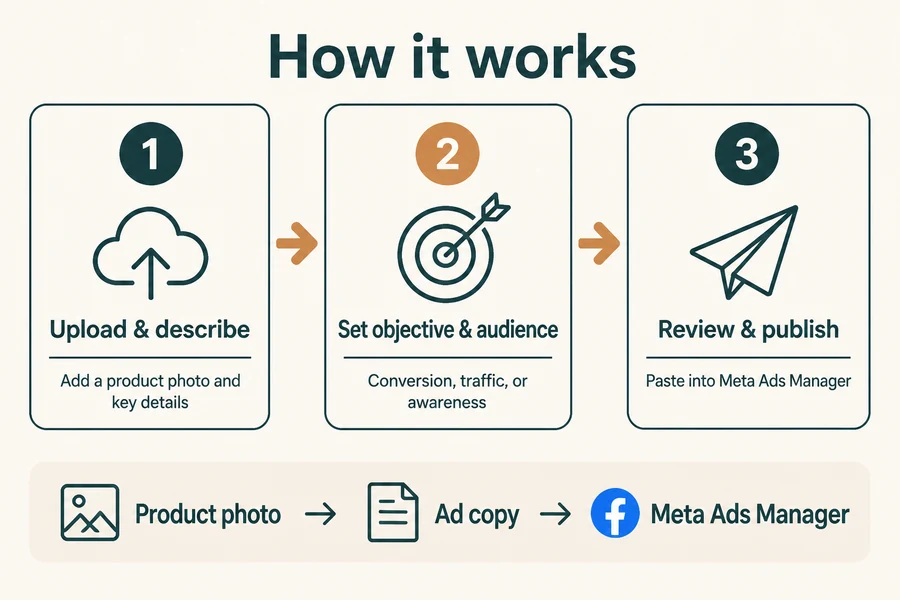
1. Upload and describe your product.
Add a product image and key details—what it is, the offer, and anything the copy must include.
2. Set objective, placement, and audience.
Choose conversion, traffic, or awareness; select Feed, Stories, Reels, or Marketplace; and add your brand voice.
3. Review, refine, and publish.
Compare multiple variations, edit the winner, and paste it into Meta Ads Manager.
FAQ
What is a Facebook ad copy generator?
A Facebook ad copy generator writes primary text, headlines, descriptions, and call-to-action labels from your product, offer, audience, and campaign objective. It produces editable draft variations so you start from a working version instead of a blank field.
What is the difference between primary text and a headline on Facebook?
Primary text is the longer block above the creative that carries the hook; roughly the first 125 characters show before See more. The headline is the short line below the creative that gives the reason to click. They should do two different jobs.
How long should Facebook ad copy be?
Keep the hook in the first roughly 125 characters of primary text, the headline within about 40 characters, and the description within about 30 characters. Confirm current limits in the Meta Ads Guide before publishing because specs can change.
Can AI-written Facebook ad copy match my brand voice?
Yes. Describe your tone and any words or claims you always use, then review the drafts for your specific offer and phrasing before publishing.
How many Facebook ad variations should I test?
Start with three to five distinct angles per campaign rather than minor word tweaks. Test one major idea at a time—a different hook, offer, or audience framing—so performance is easier to interpret.
Does the copy work for Stories and Reels?
Yes. The generator can adapt copy for feed, Stories, Reels, and Marketplace. Shorter, punchier hooks suit Stories and Reels, where people scroll quickly.
Create Your Facebook Ad Copy Now
Upload a product photo, choose your objective and audience, and turn it into ad text you can paste and publish. Start with a few variations, let the data pick the winner, and repeat.
Open the Ad Copy Generator →