
Choosing an ecommerce platform is one of the highest-leverage decisions an online seller makes. It controls your monthly costs, checkout experience, ability to scale, and how much time you spend on maintenance instead of selling.
This comparison covers Shopify, WooCommerce, BigCommerce, Squarespace, and Wix. Instead of handing you a generic winner, it gives you a practical framework, honest trade-offs, hidden costs to model, and mistakes that lead sellers to switch within two years.
How to Compare Ecommerce Platforms: A 5-Step Framework
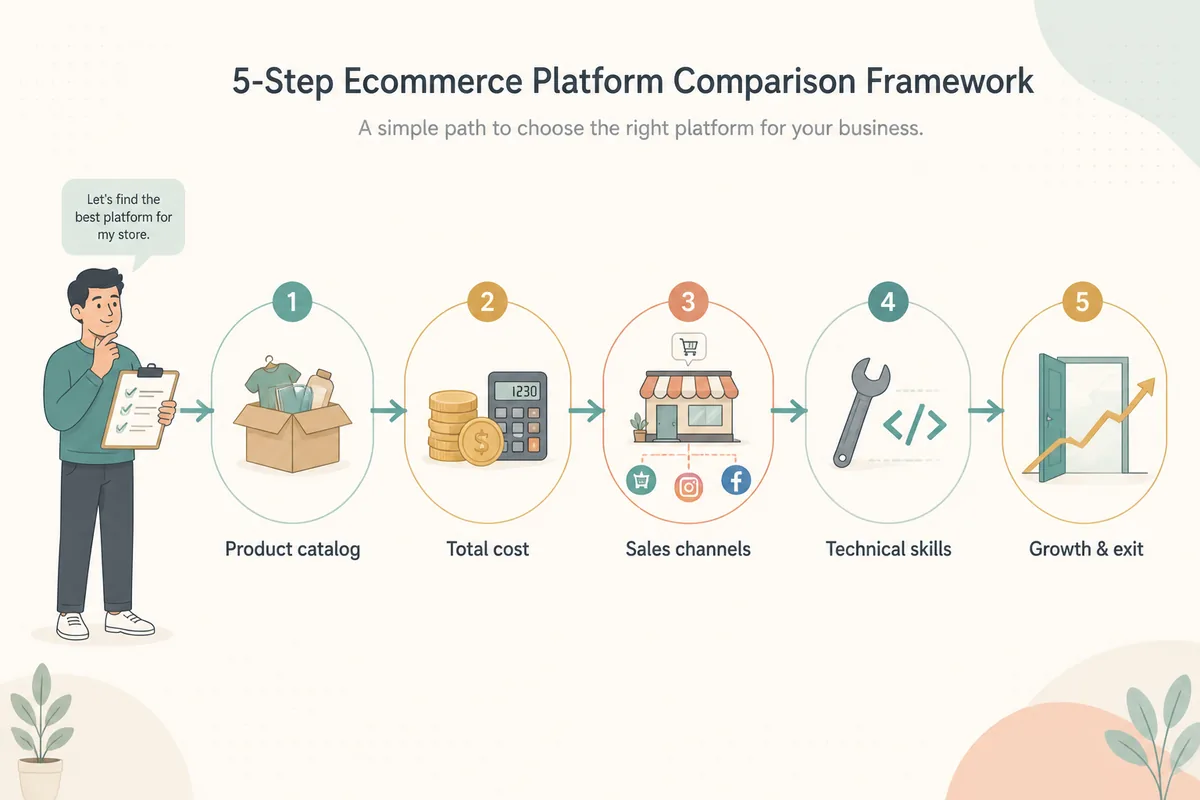
Before you look at feature lists, work through these five steps in order. Each one narrows the field and prevents a later migration.
Define your product catalog and business model
Count products and variants. Note whether anything is digital, made to order, subscription-based, or B2B. A 30-product store has very different needs from a 5,000-SKU catalog with bundles and wholesale pricing.
Model total cost of ownership, not the monthly price
Build a three-year model including subscription, payment processing, transaction fees, apps, themes, hosting, and the value of your own time.
Map your sales channels
List your website, physical store, Amazon, Etsy, eBay, social channels, and international markets. Check point-of-sale, B2B, and local-currency support before choosing.
Be honest about your technical skill and time
WooCommerce gives total control but expects you to maintain WordPress. Shopify removes those chores in exchange for less control. Match the platform to the hours you actually have.
Stress-test growth and exit options
Use your largest realistic catalog in each trial, check sales thresholds, and verify that products, customers, and orders can be exported cleanly if you leave.
Ecommerce Platform Comparison at a Glance
Pricing and plan structures change frequently, so treat these figures as starting points and confirm current details on each official pricing page.
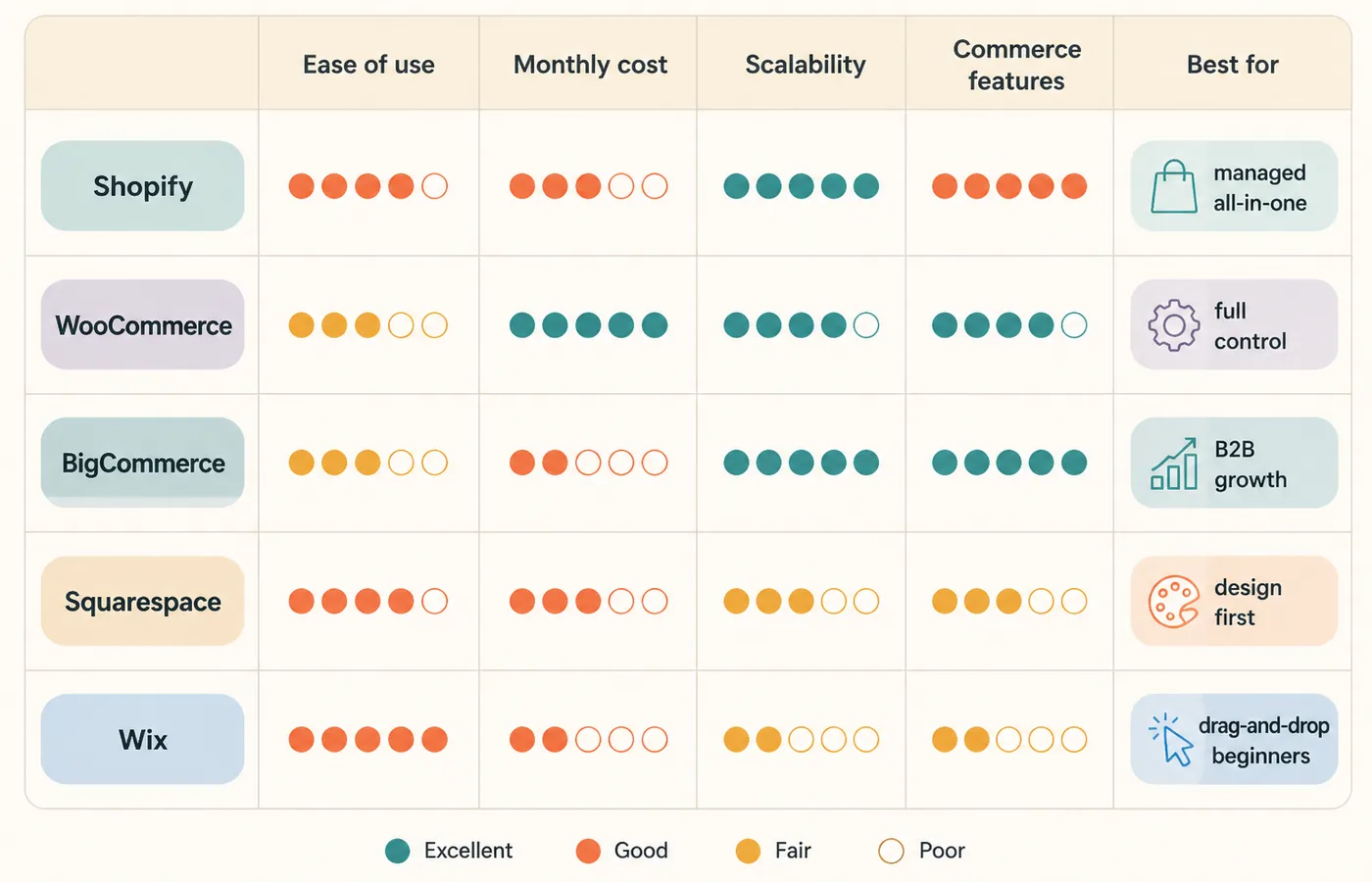
| Platform | Best for | Typical starting price | Biggest trade-off |
|---|---|---|---|
| Shopify | Managed DTC brands | Around $39/month annually | Fees and app costs stack up |
| WooCommerce | Full control on WordPress | Free plugin; hosting roughly $5–30/month | You own maintenance and performance |
| BigCommerce | Growth and B2B | Around $29–39/month | Annual sales caps on lower tiers |
| Squarespace | Design-led small shops | Around $25+/month | Fewer scaling features |
| Wix | Small catalogs and beginners | Around $17–35/month | Less headroom at scale |
Shopify vs WooCommerce vs BigCommerce: The Big Three
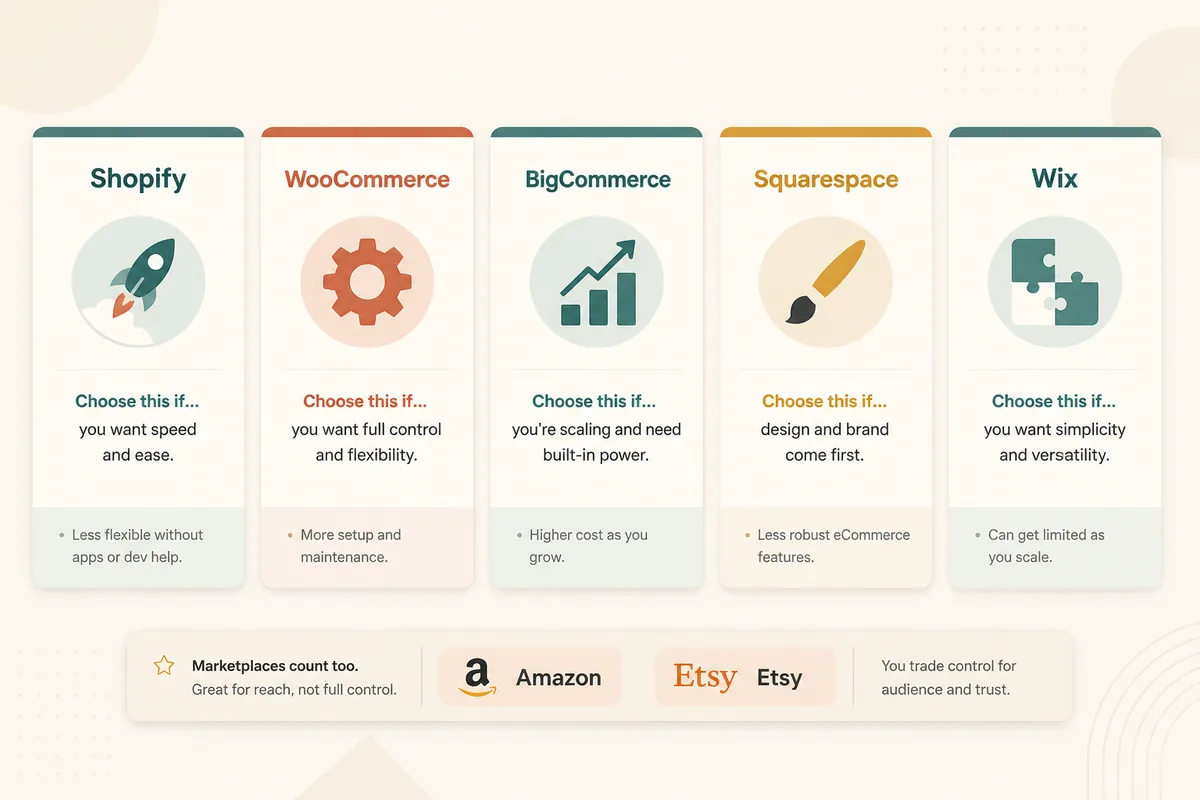
Most sellers who outgrow a website builder choose among these three. Each can run a real business; the differences are how they charge, how much you control, and where they push you as you grow.
Shopify
Choose this if: a dependable, fast-to-launch managed store
Strength: hosting, security, checkout, payments, shipping, apps, and polished point of sale in one ecosystem
Trade-off: monthly fees, transaction fees for some gateways, and recurring app costs
WooCommerce
Choose this if: full ownership or custom functionality
Strength: an open-source foundation with complete control over code, data, content, and product types
Trade-off: hosting, security updates, backups, plugin compatibility, and performance are your responsibility
BigCommerce
Choose this if: serious growth, wholesale, or B2B
Strength: native multi-currency, cart APIs, customer groups, quote requests, and wholesale pricing without extra transaction fees
Trade-off: a more complex admin and annual online-sales caps on lower tiers
Squarespace / Wix
Choose this if: a polished small catalog without code
Strength: beautiful templates, flexible builders, and a fast path from idea to a professional-looking storefront
Trade-off: more paid apps and fewer advanced commerce features as catalog and channel needs grow
Do not forget marketplaces: Amazon and Etsy bring existing audiences, but they have their own rules, fees, and search behavior. Many sellers do best with a branded store plus a focused marketplace presence.
Hidden Costs to Compare Before You Commit
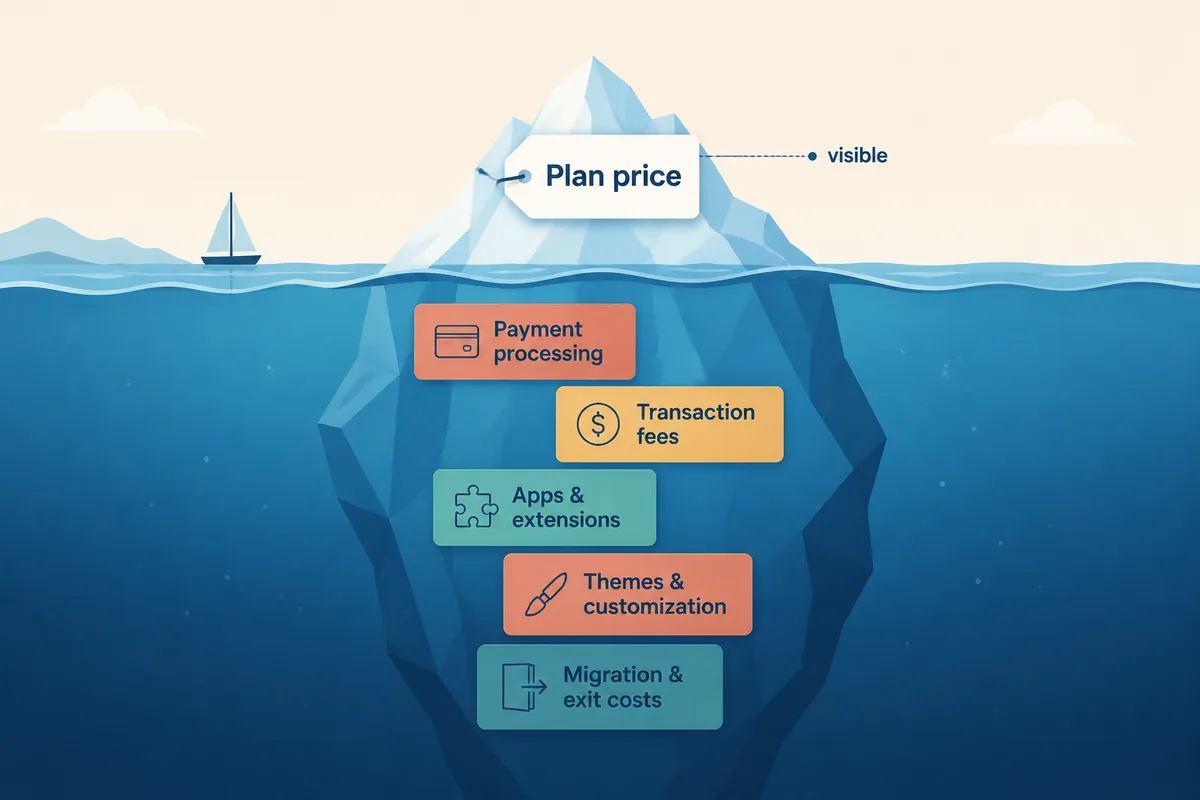
The gap between the quoted price and the cost you actually pay is where most platform regret comes from.
- Payment processing: card rates vary by plan, country, and volume. Quote your own expected volume.
- Transaction fees: some platforms add a percentage for external gateways such as PayPal or Stripe.
- Apps and extensions: reviews, email, upselling, accounting, and multi-channel listing are rarely free.
- Theme and customization: premium themes cost hundreds once, while custom development can run much higher.
- Migration and exit: moving products, customers, order history, URLs, and SEO equity costs time and money.
Best Practices and Common Mistakes
- Run a real trial: add ten actual products and complete a test checkout on every finalist.
- Test on the device your customers use. Mobile admin and checkout workflows matter.
- Price your exact app or extension list before choosing.
- Read reviews from sellers with a similar category and catalog size.
- Keep original product photos and descriptions in a portable format outside the platform.
- Verify SEO settings, analytics, email tools, and export options before launch.
Frequently Asked Questions
What is the best ecommerce platform overall?
There is no universal best platform—only the best fit for your catalog, budget, and skills. Shopify is the strongest default for most new direct-to-consumer stores, WooCommerce offers maximum control, BigCommerce suits aggressive growth and B2B, and Squarespace or Wix work well for small, design-led catalogs.
Is Shopify or WooCommerce better?
Shopify is better if you want a managed store with minimal technical maintenance. WooCommerce is better if you already use WordPress, want full ownership of your data and code, and can handle hosting, security, and updates yourself.
How much does it cost to run an online store?
A realistic starting budget is $30–$100 per month on a managed platform like Shopify or BigCommerce, plus payment processing fees. A self-hosted WooCommerce store can start below that, but your time, security maintenance, and paid extensions usually close the gap.
Can I switch ecommerce platforms after launching?
Yes, but migration costs real time and money: re-entering products, rebuilding pages, redirecting URLs, and recovering some SEO equity. Compare product, customer, and order export options before you commit.
Which platform is best for a complete beginner?
Shopify is the most forgiving for beginners because hosting, security, payments, and shipping are handled for you. Squarespace and Wix are also beginner-friendly for small catalogs. WooCommerce is best reserved for people who already know WordPress.
Do I need a marketplace like Amazon or Etsy if I have my own store?
Not necessarily, but many sellers profit from both. A marketplace provides an existing audience while your own store builds brand equity and higher margins over time. Treat marketplace listings as a separate channel with its own optimization.
Shopify or BigCommerce: which is better for a growing store?
BigCommerce wins when growth includes B2B, wholesale, or high-volume multi-channel selling because those features are native and it charges no transaction fees. Shopify wins on app ecosystem, ease of use, and retail point-of-sale polish.
How long does it take to set up an online store?
A basic store on Shopify, Squarespace, or Wix can launch in one to three days if product photos and descriptions are ready. WooCommerce takes longer because hosting and WordPress must be configured first.
Choose Your Ecommerce Platform with Confidence
Use the framework, model the hidden costs, and trial your top two choices with real products.
Create Better Product Content