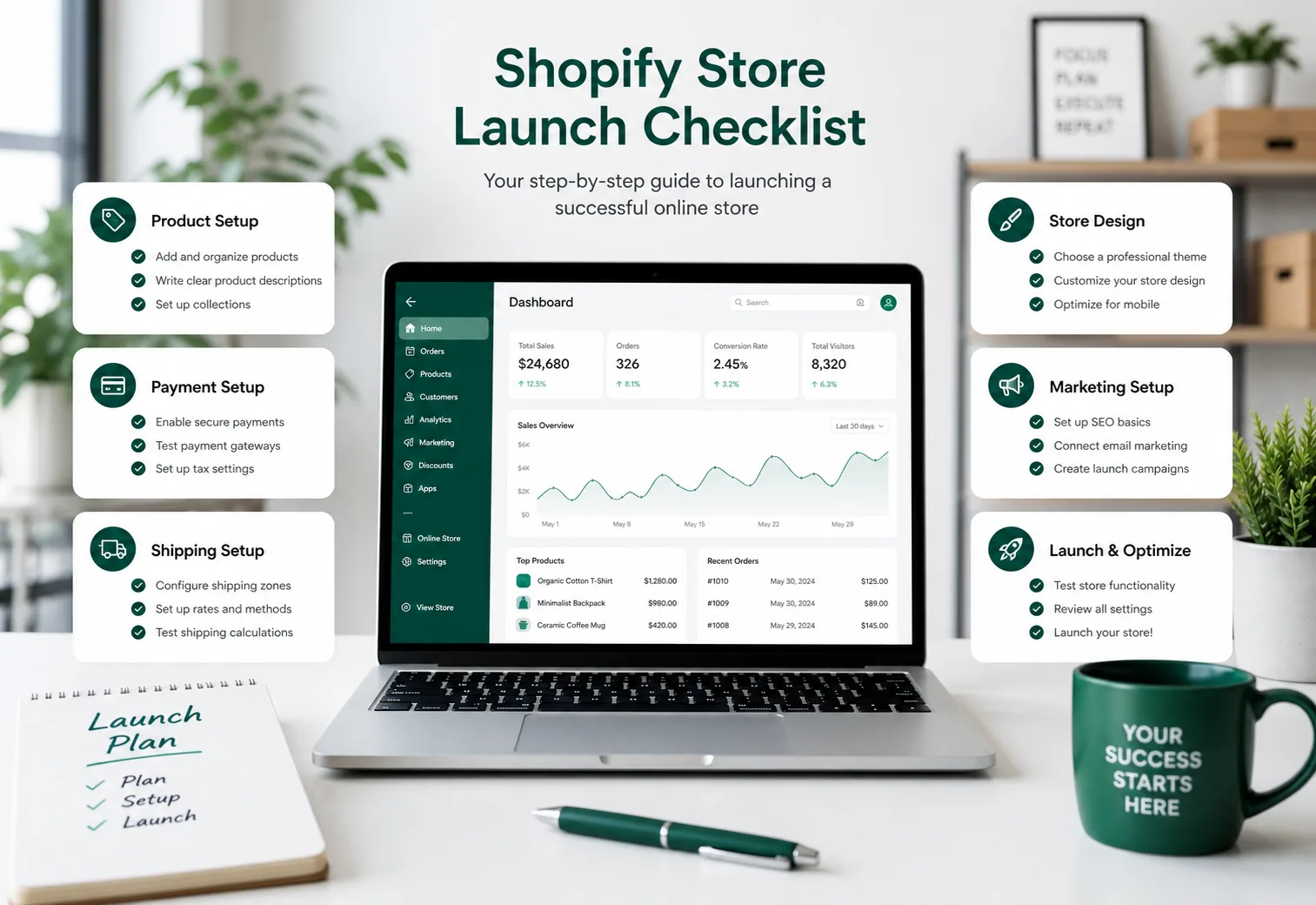
A store launch checklist ensures every essential element works before customers arrive. From payment gateways to product descriptions, from shipping zones to mobile responsiveness, each item on this checklist exists because someone learned the hard way what happens when you skip it.
This comprehensive Shopify store launch checklist covers everything you need to verify before going live. You will find detailed steps for store setup, product configuration, checkout testing, legal compliance, and post-launch monitoring. Whether you are launching your first store or improving your launch process, this guide helps you avoid common mistakes and ensures your store opens with confidence.
What is a Shopify Store Launch Checklist
A Shopify store launch checklist is a systematic list of tasks, verifications, and quality checks that ensure your store is ready to accept customers. Unlike a basic to-do list, a proper launch checklist covers technical functionality, user experience, legal requirements, and business operations in one structured framework.
The purpose of a launch checklist is simple: catch problems before customers do. When a store opens with broken payment flows, missing shipping rates, or incomplete product information, every visitor who encounters these issues becomes a lost sale and potentially negative word-of-mouth. A thorough checklist prevents these scenarios by forcing you to test every customer journey from discovery to delivery.
Shopify's own documentation recommends verifying store settings, payment providers, shipping zones, and notification emails before removing password protection. Google Search Central emphasizes that ecommerce sites should have clear product information, working checkout flows, and proper structured data before search engines crawl them. This checklist combines both perspectives into one actionable framework.
Why a Store Launch Checklist Matters
The difference between stores that launch successfully and stores that struggle often comes down to preparation. Rushing to go live without verification creates problems that compound over time. A customer who cannot complete checkout on launch day does not return later to try again. A product page missing key specifications generates returns and support tickets. A payment gateway configured incorrectly creates failed transactions and frustrated buyers.
The Cost of Launching Unprepared
Launching without verification creates three types of problems:
- • Revenue loss: Every broken checkout or missing product detail costs immediate sales
- • Reputation damage: First impressions stick. Customers who encounter problems rarely give second chances
- • Operational chaos: Discovering issues after launch means fixing them while orders flow in, leading to mistakes and delays
Shopify reports that merchants who complete pre-launch verification see fewer support tickets, higher conversion rates, and smoother scaling in the first 90 days. The checklist is not just about avoiding problems—it is about creating a foundation for sustainable growth.
What Can Go Wrong Without a Checklist
Common launch failures include:
- • Payment gateway errors: Customers reach checkout but cannot pay
- • Shipping zone gaps: Customers in certain regions cannot place orders
- • Tax calculation mistakes: Wrong tax rates create legal and accounting problems
- • Broken links and missing images: Store looks unprofessional and hurts SEO
- • Mobile display issues: Half of ecommerce traffic comes from mobile; if your store does not work on phones, you lose half your customers
- • Notification email failures: Customers do not receive order confirmations, creating anxiety and support inquiries
Each of these issues is preventable with systematic verification.
How This Checklist Helps
This Shopify store launch checklist addresses every critical failure point. By following each section systematically, you:
- • Verify technical functionality before customers arrive
- • Ensure legal and compliance requirements are met
- • Create a professional, trustworthy store appearance
- • Build a foundation for marketing and SEO success
- • Reduce post-launch firefighting and emergency fixes
Completing this checklist takes time, but that time investment pays for itself in the first week of operation. For more on optimizing your store foundation, see our Shopify SEO Guide and Product Page Best Practices.
Ready to create compelling product descriptions?
Use our Product Description Generator to create consistent, SEO-friendly descriptions quickly.
Try Shopify Product Description GeneratorComplete Shopify Store Launch Checklist
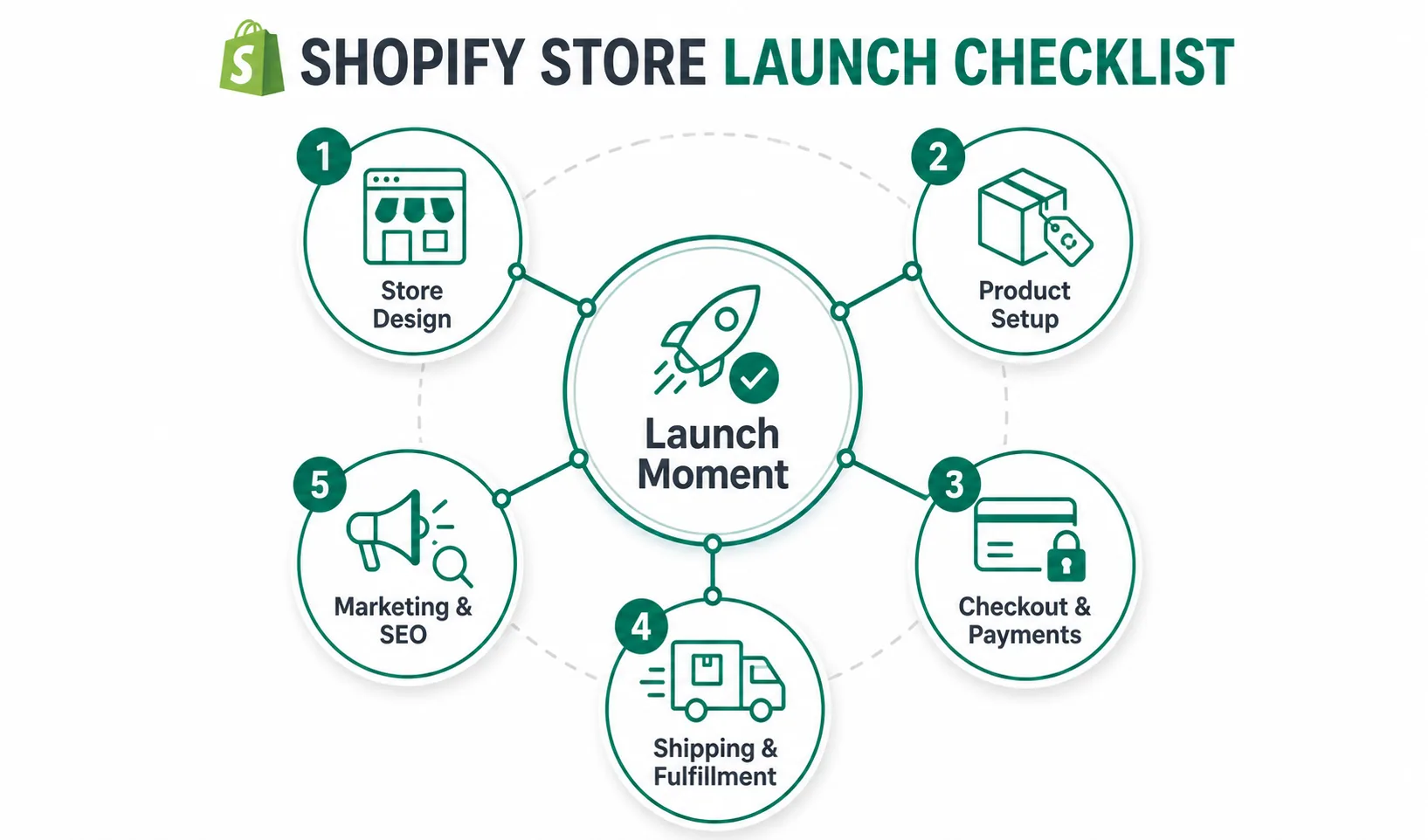
This checklist organizes launch preparation into five sections. Complete each section in order, verifying every item before moving to the next. Mark items as done only after testing, not after configuration.
Section 1: Store Design and Branding
Your store design creates the first impression. Verify these elements before proceeding.
Theme and Visual Identity
Theme is installed and configured with your brand colors
Logo is uploaded and displays correctly on all pages
Favicon is set and visible in browser tabs
Custom fonts are loaded and rendering properly
All theme sections are populated with your content
Homepage
Hero image or banner is optimized and displays correctly on desktop and mobile
Homepage headline clearly states your value proposition
Featured products collection is set up and displaying items
Navigation menu is complete with all important links
Footer contains contact information, policies, and social links
Navigation and User Experience
Main navigation links to all important pages (collections, about, contact, policies)
Breadcrumb navigation works on product and collection pages
Search function returns relevant results
All internal links work (no broken links)
Mobile navigation works smoothly on phone and tablet
Mobile Responsiveness
Store displays correctly on mobile phones (test on actual devices, not just browser resizing)
Product images resize appropriately on mobile
Add to Cart button is visible and easy to tap on mobile
Checkout flow works smoothly on mobile devices
Text is readable without zooming on mobile
Section 2: Product Setup and Content
Every product page should be complete and compelling before launch.
Product Information
All products are created with accurate titles
Product descriptions are written and formatted properly
Prices are set correctly including compare-at prices for sales
Product variants (sizes, colors) are configured with correct SKUs
Inventory quantities are accurate for each variant
Product Images
Main product image is uploaded for every product
Additional product images show different angles and details
All product images are high quality and consistent style
Image alt text is written for every product image
Images are optimized for web (fast loading without quality loss)
Product Organization
Products are organized into collections
Collection pages display products correctly
Collection descriptions are written where appropriate
Product tags are set for filtering and search
Related products or recommendations are configured
For detailed guidance on creating compelling product content, see our Shopify Product Description Template Guide. You can also use our Product Description Generator to create consistent, SEO-friendly descriptions quickly.
Section 3: Checkout, Payments, and Taxes
The checkout process must work flawlessly. Test every payment method and scenario.
Payment Gateways
Primary payment gateway is installed and configured (Shopify Payments, PayPal, etc.)
Payment gateway is set to live mode (not test mode)
Alternative payment methods are configured if offering multiple options
Test transactions are completed with each payment method
Payment confirmation emails are received after test orders
Checkout Settings
Checkout language matches your store language
Customer account settings are configured (optional accounts, required accounts, or guest checkout)
Checkout fields are appropriate for your products (no unnecessary fields, all required fields present)
Order confirmation page displays correct information
Abandoned checkout recovery emails are enabled
Tax Configuration
Tax settings are configured for your selling regions
Tax rates are accurate for each state, province, or country
Tax-inclusive or tax-exclusive pricing is set correctly
Tax exemptions are configured if applicable
Test orders show correct tax calculations
Legal and Compliance Pages
Privacy Policy page is created and linked in footer
Terms of Service page is created and linked in footer
Refund Policy page is created and linked in footer
Shipping Policy page is created and linked in footer
Contact page is functional with working form or email link
Section 4: Shipping and Fulfillment
Shipping configuration directly impacts customer satisfaction and operational costs.
Shipping Zones and Rates
Shipping zones are defined for all regions you ship to
Shipping rates are set correctly for each zone (flat rate, weight-based, or price-based)
Free shipping thresholds are configured if offered
Shipping rates are tested from different customer locations
International shipping is configured if selling globally
Fulfillment Settings
Order processing time is set accurately
Fulfillment service is configured if using third-party fulfillment
Shipping carrier accounts are connected if printing labels through Shopify
Package dimensions and weights are set for accurate rate calculation
Fulfillment notifications are enabled
Delivery Information
Estimated delivery times are displayed or explained
Shipping policy clearly states processing and delivery times
Tracking information setup is tested
Local delivery or pickup is configured if offered
Section 5: Marketing, SEO, and Analytics
Prepare your store for discovery and measurement before launch.
SEO Foundation
Store title and meta description are set in Shopify preferences
Google Analytics is installed and tracking
Google Search Console verification is completed
Sitemap is generated and submitted to Google
Social sharing images are set for product pages
Email and Notifications
Order confirmation email template is customized
Shipping confirmation email template is customized
Abandoned cart recovery emails are configured
Welcome email for new accounts is set if using accounts
Notification sender email is set to your domain
Marketing Preparation
Discount codes are created for launch promotions if planned
Gift card products are created if offering gift cards
Social media accounts are linked in footer
Blog is set up and ready for content if using blog
Email marketing integration is connected if using email service
Testing and Verification
Complete test order from product page to checkout completion
Verify order appears in Shopify admin
Verify payment is processed and appears in payment gateway
Verify customer receives order confirmation email
Verify all notification emails display correctly on desktop and mobile
Best Practices for Store Launch
Completing the checklist is necessary but not sufficient. How you approach launch matters as much as what you verify.
Start Early and Work Systematically
Begin the checklist at least two weeks before your target launch date. Some items, like payment gateway verification and tax configuration, take time to complete. Rushing through the checklist in the final days leads to overlooked items and stress.
Break the checklist into daily goals. Complete one section per day, leaving buffer time for unexpected issues. The final two days should be reserved for end-to-end testing and final verification.
Test with Real Scenarios
Do not assume configurations work because they appear correct. Test every customer journey:
- • Place actual test orders using each payment method
- • Test from different devices (desktop, mobile phone, tablet)
- • Test from different locations if shipping internationally
- • Test every discount code you plan to offer
- • Test every email notification by placing orders and fulfilling them
Real testing reveals problems that visual inspection misses.
Document Your Setup
As you complete the checklist, document your configurations. Note which payment gateways you use, what your shipping rates are, which tax settings apply to each region. This documentation helps when you need to troubleshoot later or expand to new markets.
Keep records of:
- • Payment gateway account details and configuration choices
- • Shipping zones and rate structures
- • Tax calculation settings and exemptions
- • Third-party app installations and settings
- • Custom code or theme modifications
Plan for Post-Launch Monitoring
The checklist ends at launch, but monitoring begins. In the first week after going live:
- • Monitor Google Analytics for traffic and user behavior
- • Watch Shopify admin for order processing issues
- • Test customer support channels (email, chat, phone)
- • Review customer feedback and adjust quickly
- • Check search console for crawl errors
Successful launches include a plan for rapid response to issues that emerge after customers arrive.
For more on creating product content that converts, use our Product Description Generator to maintain consistency across your catalog.
Common Mistakes to Avoid
Even with a checklist, certain mistakes occur frequently. Learn from these common pitfalls.
Skipping Mobile Testing
Desktop preview looks perfect, but mobile shoppers see a broken layout. This happens when merchants check their store only in desktop browser. Always test on actual mobile devices before launch. If your store does not work smoothly on phones, you lose the majority of your potential customers.
Launching with Incomplete Product Information
Products go live with placeholder text, missing images, or wrong prices. This happens when pressure to launch overrides quality standards. Incomplete product pages damage trust and generate returns. No product should appear in your store until its page is complete and compelling.
Ignoring Email Notifications
Payment gateway works, checkout completes, but customers do not receive confirmation emails. This happens when merchants configure checkout but never test the email flow. Always send test orders to verify email notifications reach customers and display correctly.
Forgetting Tax Configuration
Orders start flowing in, but tax calculations are wrong. This creates accounting problems and potential legal issues. Tax configuration varies by jurisdiction and requires careful setup. Research your tax obligations before launch and configure rates accurately.
Not Testing Every Payment Method
One payment method works, so merchants assume all payment methods work. Different gateways have different requirements and failure modes. Test every payment option you offer with actual transactions before going live.
Launching Without Analytics
Store opens but you have no data on who visits, where they come from, or how they behave. Install Google Analytics before launch, verify it tracks correctly, and establish baseline metrics from day one.
Frequently Asked Questions
How long before launch should I start the checklist?
Begin at least two weeks before your target launch date. Complex stores with many products, multiple payment gateways, or international shipping may need three to four weeks. The checklist takes time to complete properly, and rushing leads to overlooked items.
Do I need to test every single product page?
Yes, verify that every product page displays correctly. At minimum, confirm that every product has complete information, images, correct pricing, and working variants. For stores with hundreds of products, spot-check high-value items and bestsellers, then systematically verify remaining products after launch.
What if I find problems during testing?
Fix problems immediately and retest. Do not launch with known issues. If a problem requires significant time to resolve, delay launch rather than opening with broken functionality. Customers who encounter problems on launch day rarely return.
Can I launch without all features configured?
Some features can be added after launch, but core functionality must work. Essential items include: working checkout, correct pricing, complete product information, accurate shipping rates, and legal policy pages. Marketing features and advanced functionality can be refined post-launch, but never compromise on core customer journey elements.
Should I run a soft launch first?
Soft launches work well for many merchants. Remove password protection quietly, test with small traffic from one marketing channel, and verify everything works before full promotion. This approach lets you catch issues with minimal exposure before wide announcement.
How do I verify international shipping works?
Place test orders from international addresses or use a VPN to simulate different locations. Verify that shipping rates calculate correctly, taxes apply where required, and payment gateways process international transactions. Work with your fulfillment provider to confirm they can ship to your target regions.
What analytics should I set up before launch?
Install Google Analytics, connect Google Search Console, and enable Shopify's built-in analytics. Set up goal tracking for completed purchases and add-to-cart events. Verify tracking works before launch so you capture data from day one.
How often should I revisit this checklist?
Complete this checklist before every major launch: new store, significant redesign, expansion to new markets, or major feature additions. For ongoing operations, use a simplified version monthly to verify everything still works correctly.
Ready to launch your Shopify store with confidence?
Follow this checklist systematically, test every element, and open your store knowing it works.
Start Your Store Launch NowRelated Resources
- Shopify SEO Guide - Optimize your store for search engines
- Shopify Product Page Best Practices - Create product pages that convert
- Shopify Product Description Template - Write compelling product descriptions
- Product Description Generator - Create consistent, SEO-friendly product content at scale